Free condominium & HOA management software
Related: Billing and dues · Amenity booking · Tickets and maintenance · FAQ
Starter is Leasdesk’s free plan for one condominium or HOA. It is not a trial: you choose it in the setup wizard and that is all. There is no card to enter, no clock running and no charge later. It stays free for as long as you use it.
What Starter covers
- The structure: buildings and units, generated from blocks and floors in the setup wizard, and the parking lots.
- Amenities and bookings: each amenity’s rules, the shared calendar and approvals. See amenity booking.
- Tickets: priorities, assignment, comments, files, recurring tickets and residents’ own requests. See tickets and maintenance.
- Residents, invited from their unit as owner or tenant, with a move-in and a move-out date.
- The bylaws, for every resident to read.
- Assets: the building’s equipment, with photos and files.
- Support from the Leasdesk team, opened from inside the app.
Every plan speaks English, Spanish, Portuguese and French, in the app and in every mail, and runs in the browser on a phone or a computer with nothing to install.
The caps, and what happens at them
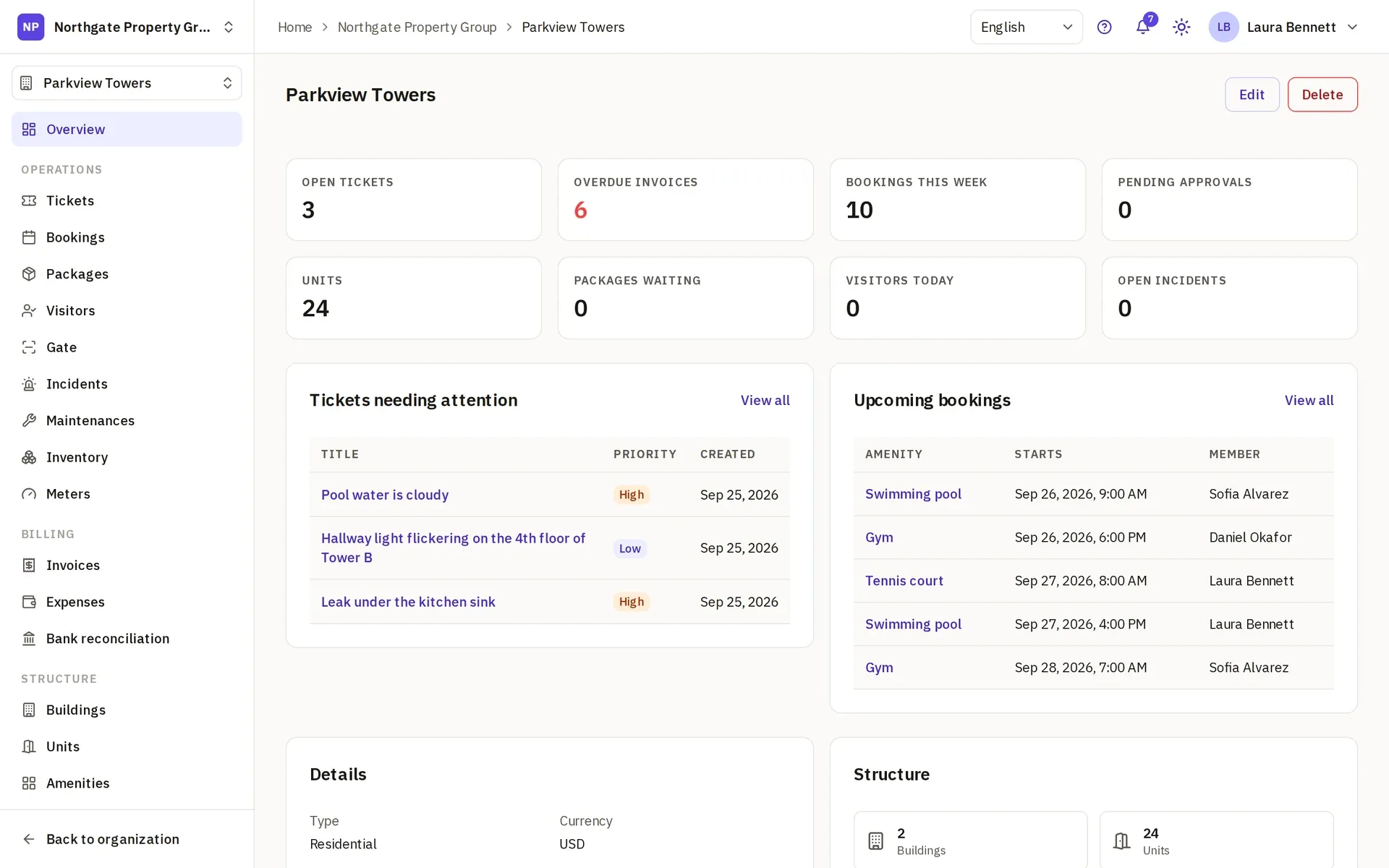
Starter holds one property, with caps on units, staff seats and storage for photos and files. The Starter card below shows each one. They are hard caps: when you reach one, the app asks you to upgrade before you add more, so nothing is ever billed by surprise.
Residents never take a seat. A seat is a member of your team: a manager, a board member, someone on site. Every household can be invited without counting against the cap.
What residents get on Starter
A resident is invited from their unit and signs in from a phone or a computer. On Starter they book the amenities under the property’s rules, open tickets and follow them to closure, and read the bylaws, each in their own language. They see their own unit and what belongs to it, nothing of the other units.
Who it suits
- A self-managed board or an independent manager with one community that wants the requests, the amenity calendar and the residents in one place. See for property managers.
- A community that bills on paper or in a spreadsheet today and wants to start with the day-to-day before moving the dues.
What Pro adds
Pro is for the community that also bills and keeps its records in Leasdesk:
- invoices, expenses and bank reconciliation, with the booking fees on the invoices (see billing and dues);
- contracts, insurances, maintenances and the inventory with their alerts, and the meter readings;
- announcements to the residents, by mail and in the app;
- the desk’s package log, visitor passes and incident log.
Pro still holds one property. Units, seats and storage above what it includes are billed by use instead of capped.
When to move to Pro
Move when the dues should live next to the tickets: the month’s invoices, the expenses and the bank statement in one place. Or when the elevator’s contract and the pump’s maintenance need someone reminded, or the residents need announcements by mail. You upgrade from inside the app, through a checkout that takes a card, and everything set up on Starter stays where it is: the units, the residents, the tickets and the bookings.
What Business adds
Business is for management companies: several properties in one organization, custom roles, the audit log and every record’s history, your logo and colors, and mail from your own address, set up by our team. Business is sold to verified companies, after an application the Leasdesk team reviews.
The trial, and going back to Starter
Pro and Business start with a free trial, with the card on file; nothing is charged before it ends, and you can cancel from the billing portal. An organization gets one trial.
A trial you do not cancel carries on as the paid plan, charged to the card on file. If you cancel during the trial, or cancel a paid plan later, the organization goes back to Starter when the trial or the paid period ends. Nothing is deleted: the invoices, the contracts and every other record stay readable, and they can be changed again once you upgrade.
Paid plans are billed in the currency of your billing country; the FAQ lists the currencies.
How to start
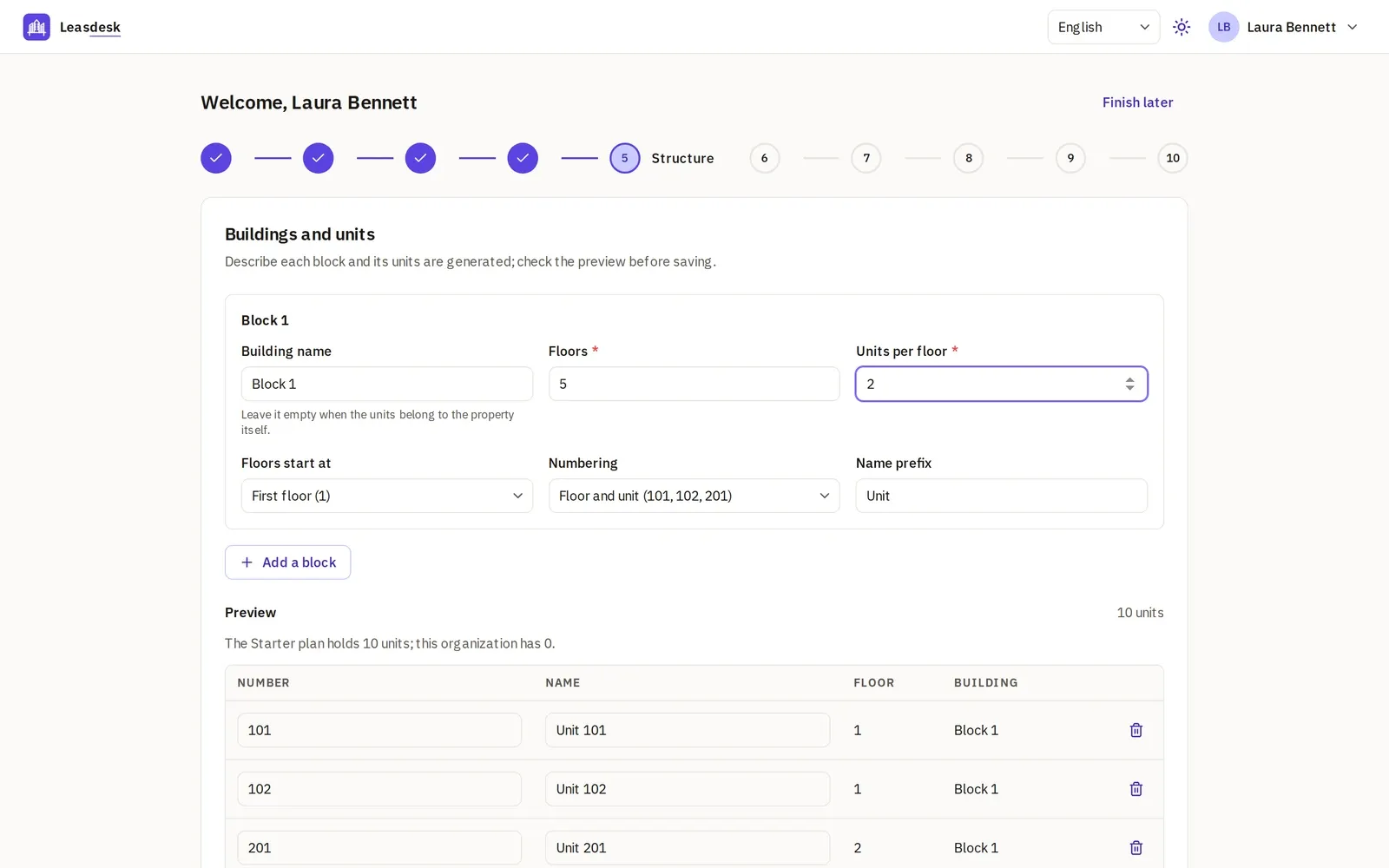
Create an account and the setup wizard takes it from there: choose One property, describe the community, pick Starter, generate the buildings and units from blocks and floors with a preview you can edit, tick the amenities from a checklist, and invite whoever helps you. A short tour then shows each page the first time you open it.
Compare the plans below, then create your account and choose Starter to begin.