Condominium & HOA amenity booking software
Related: Billing and dues · Tickets and maintenance · Free plan · FAQ
The pool, the gym, the party room, the tennis court. Leasdesk puts every amenity of a condominium or HOA on one shared calendar with its own rules, residents book from their phone, and the rules are checked for you, so nobody keeps a paper sheet at the front desk. Amenity booking is part of Starter, the free plan.
Each amenity carries its rules
Set them once on the amenity:
- Opening hours: one daily window, the same every day.
- Bookings start every: the slot length. Bookings start on that grid from the opening time and last whole slots.
- Longest booking: how long one booking may last.
- Bookings per unit a month: the monthly quota each unit may use.
- Booking fee, copied onto each booking when it is made.
- Needs approval: a resident’s booking waits as Pending until someone approves it.
An amenity also keeps its photos and its files, such as the house rules for the party room. A booking that breaks a rule is refused with a message naming the rule, and two bookings of the same amenity can never overlap.
On the property’s clock
Every rule is checked in the property’s time zone, and the mails give the times on that clock too. A manager working from another city and a resident abroad both see the hours the building keeps.
One shared calendar, without names
Everyone with access sees the property’s bookings by week or by month, or as a list, so a resident sees which slots are taken before choosing one. Other people’s bookings show as taken, without a name; a resident sees names only on their own. Mine narrows the view to your own bookings, and staff on Business list the bookings of every property they approve in one place.
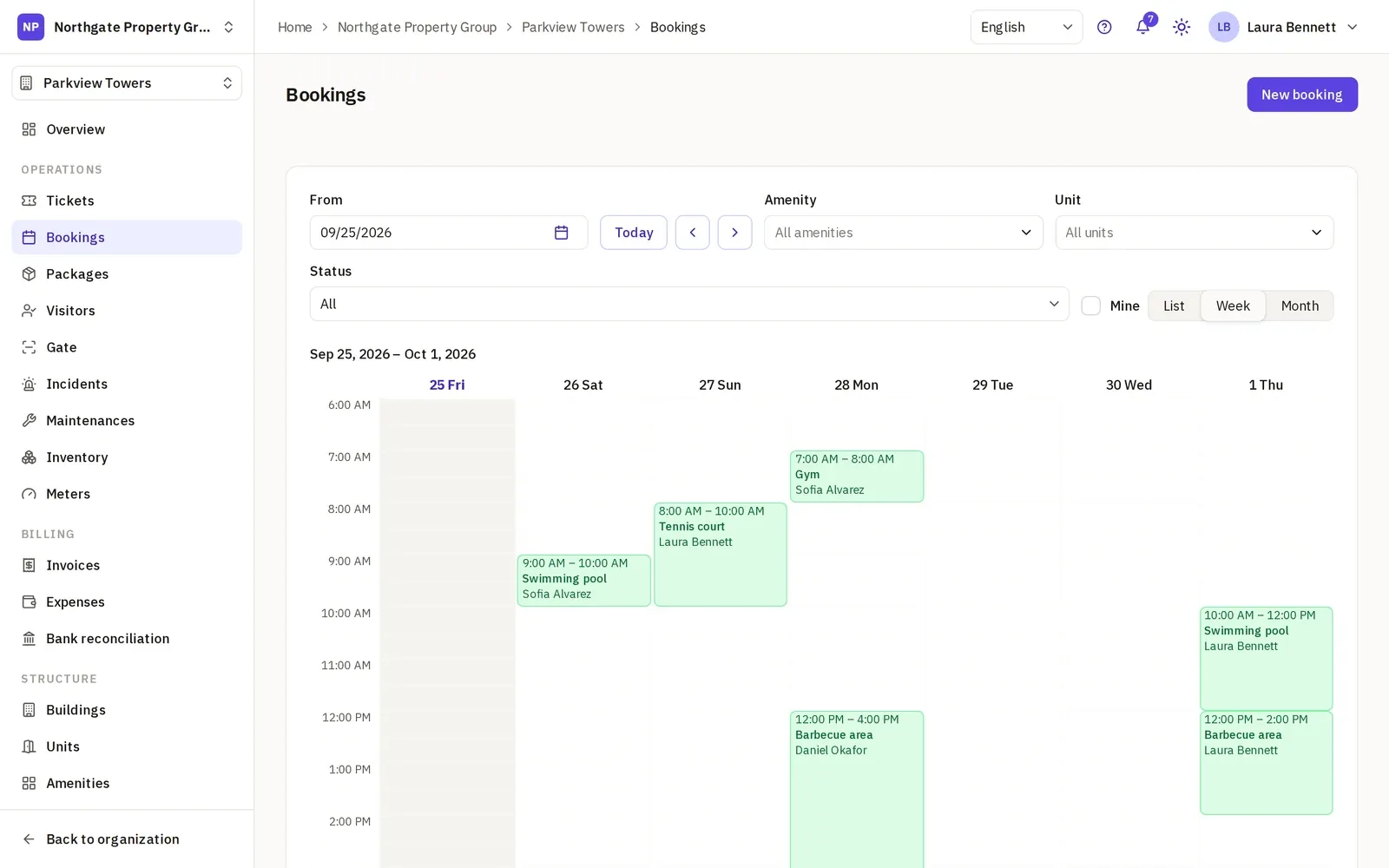
Residents book for their unit
A resident books from the phone or the computer, never in the past. When the amenity has a fee or a quota, the booking names a unit they live in, so the quota is counted and the fee charged to the right home. They can reschedule their own bookings and cancel them at any time; a rescheduled booking that needs approval goes back to Pending.
Residents are invited from their unit and never take a staff seat, so every household can book. See for property managers for how a community gets started.
Approval, when the amenity asks for it
When an amenity needs approval, a resident’s booking waits as Pending. Staff, Managers and Org Administrators approve or reject it, one by one or several at once from the list, and the sidebar shows how many are waiting. Bookings made by staff are confirmed straight away.
Mails to the booker
The person who booked is mailed in their own language, with a notice in the app, when the booking is confirmed or waits for approval, when it is approved or rejected, and when it is cancelled, whoever cancelled it.
A daily run reminds the booker, once, of each confirmed booking that starts within the next 24 hours.
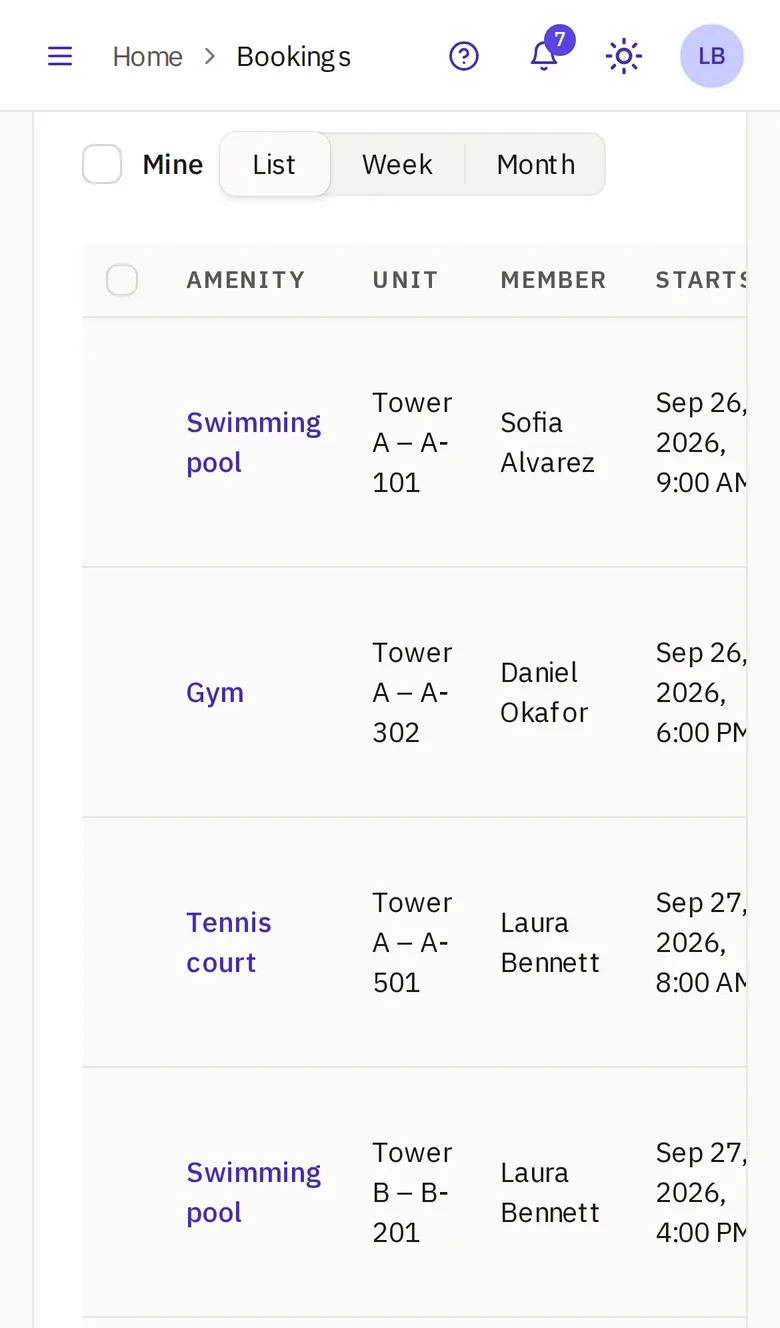
Fees on the unit’s invoice (Pro)
A fee can be set on Starter, and it is copied onto every booking. The invoices come with Pro: there, each finished, confirmed booking with a fee goes on the unit’s next invoice, and a booking cancelled after it was billed comes back as a credit on a later one. See billing and dues for the rest of the month’s invoice.
Across several communities
A management company on Business runs the amenities of every property in one organization, each with its own rules, clock and calendar, and each manager sees the properties they work on. See for management companies.
Can it do weekday hours, deposits or a waitlist?
No. Leasdesk keeps the booking rules simple. What it does not do:
- One opening window for every day. There are no different hours per weekday and no closure dates.
- One booking at a time. An amenity holds one booking at any moment, so several households cannot share it at once.
- No booking-ahead limit and no cancellation deadline. A resident can book any future date and cancel at any time.
- No deposits, no card payment of fees and no waitlist. A fee is billed on the unit’s invoice on Pro, never charged to a card.
- No calendar feed. There is no iCal link to follow the bookings from another calendar.
- No mail to managers about pending bookings. The count in the sidebar is where they show.
Start free on Starter, tick your amenities from the setup wizard’s checklist, set their rules and invite the residents to book.