Condominium & HOA maintenance request software
Related: Billing and dues · Amenity booking · Free plan · FAQ
A leak under the sink, an intercom with no sound, a gate that will not close. Leasdesk takes maintenance requests as tickets from residents and staff and tracks each one from report to closure. On Pro, it also keeps the building’s recurring maintenances on schedule. Tickets come with Starter, the free plan; maintenances come with Pro.
Tickets, from report to closure
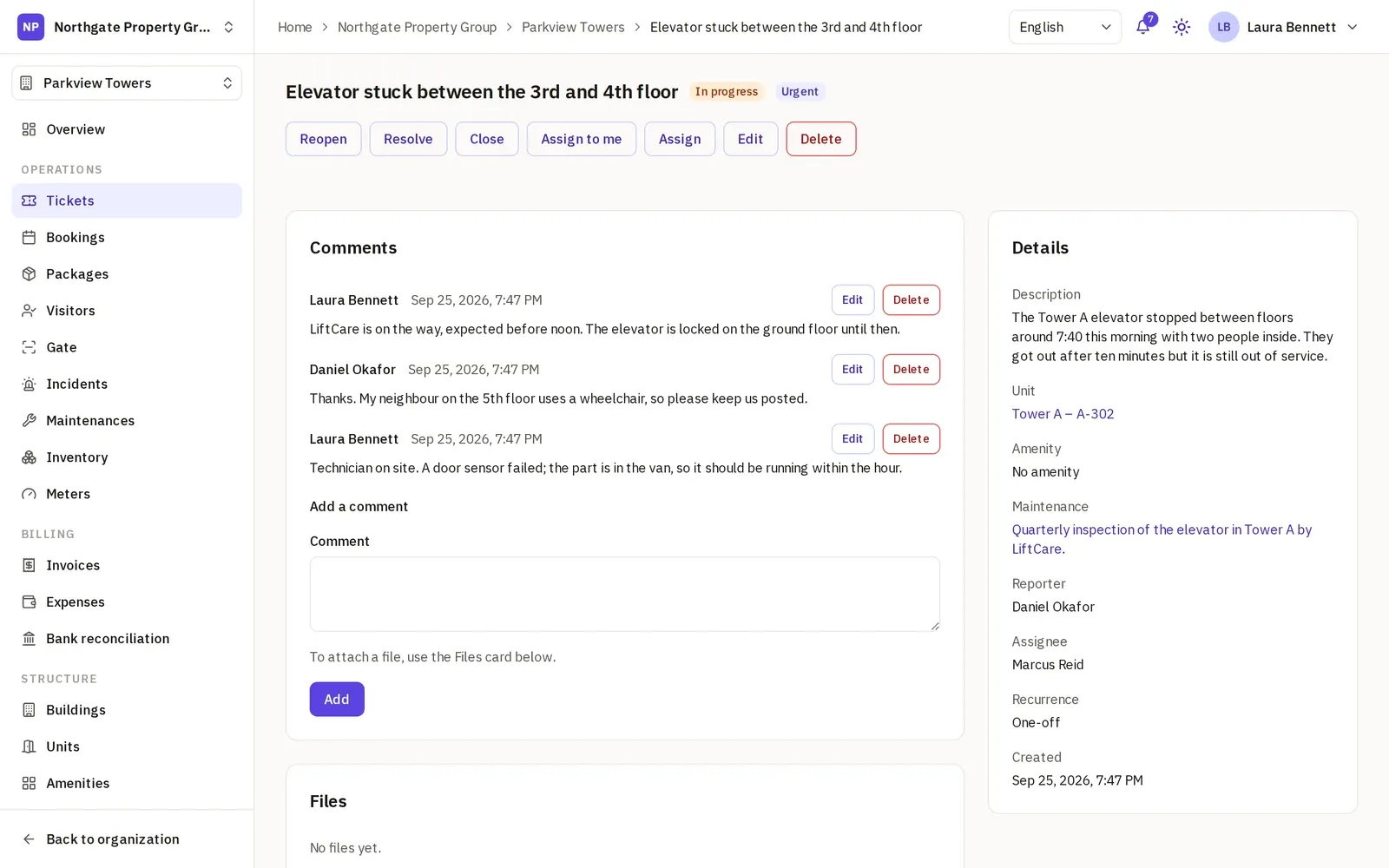
A ticket has a title, a description, a priority (Low, Medium, High or Urgent) and, when it applies, the unit, the amenity or the maintenance it is about. It moves through Open, In progress, Resolved and Closed.
- Assignment. Staff assign the ticket to a member who can work tickets, and can hand it to someone else later.
- Comments. The conversation stays on the ticket. A comment can be edited, and every earlier version is kept with who edited it and when.
- Files. Photos, PDFs, Word, Excel, text and CSV files, up to 20 MB each.
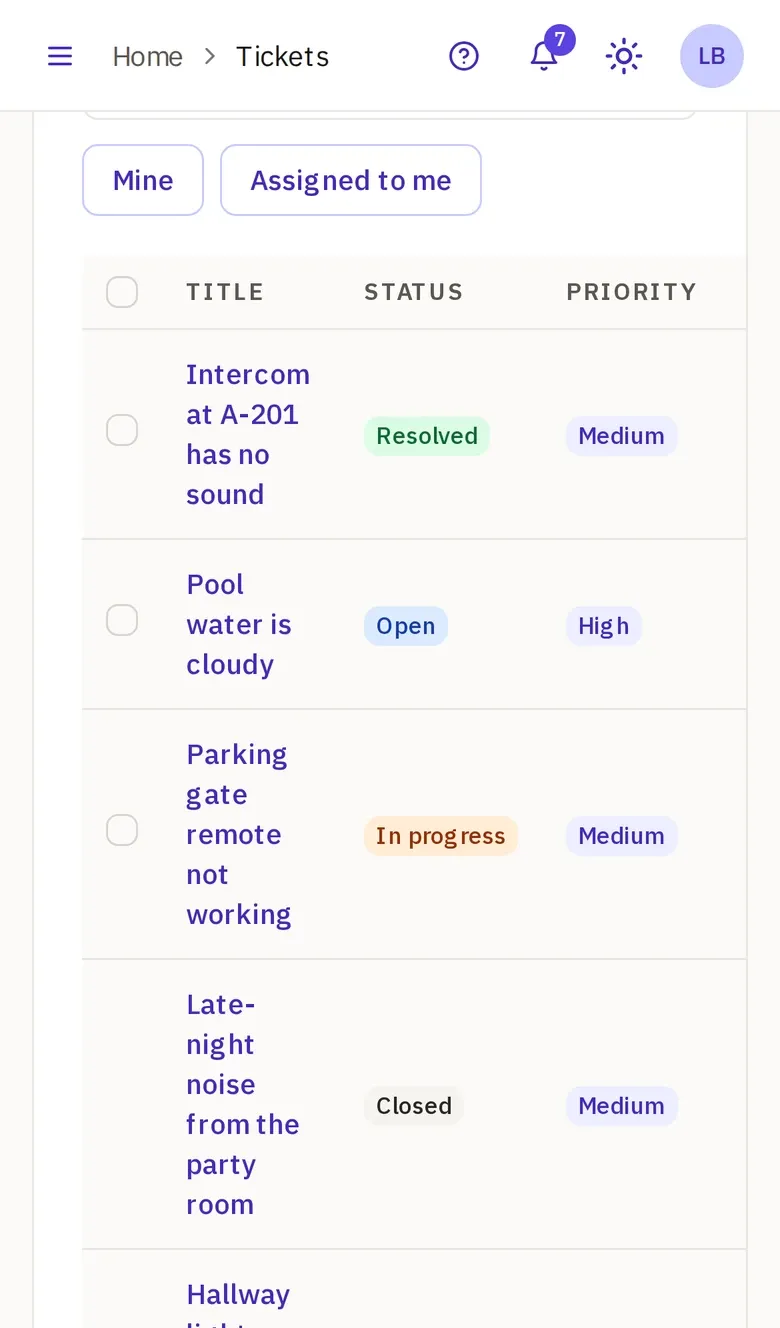
- Filters. The list filters by status and unit, with Mine and Assigned to me one tap away.
New tickets show on the tickets list and on the property’s overview, which counts the open ones and lists those needing attention.
What a resident does
A resident opens a ticket from the phone, naming only a unit they live in, and sees their own tickets, never the neighbors’. They edit a ticket while it is Open, close it once it is sorted, and reopen it within 7 days of staff resolving or closing it, so a repair that did not hold comes back to the same thread.
Residents never take a staff seat, so every household can report. See for property managers for how a community starts.
Recurring tickets
For a routine job, such as a monthly check of the pumps, set the ticket to repeat every week, month, quarter or year, or every so many days. When it is resolved or closed, the next one opens, due after that interval and with the same assignee.
Who is mailed, and when
Each mail goes out in the reader’s own language, with a notice in the app:
- the reporter, when someone else changes the status;
- the new assignee, when a ticket is handed to them, unless they took it themselves;
- the reporter and the assignee, on each comment, except the one who wrote it.
Nobody is mailed when a ticket is created, and a status change does not mail the assignee.
Maintenances (Pro)
A maintenance is a job that comes back on an interval in days, tied to an asset, a building, a unit or an amenity: the elevator’s inspection, the pool pump, the roof drains. The next due day is the last done day plus the interval.
- Mark done records the day, notes and the stock items used from the inventory, and every completion stays in the history.
- The alert. A daily sweep mails whoever looks after maintenances when one comes due, up to a week ahead, or is overdue: once for each due day, with a notice in the app.
- Tickets about it. From a maintenance, staff open a ticket by hand, and the ticket shows the maintenance it belongs to.
- Contracts can point at the maintenance they cover, with the supplier and the notice period.
Residents read the maintenance schedules, so they can see when the next inspection is due.
Assets on every plan
Assets come with Starter: the elevators, the pumps, the generator, each with its type, its amenity, photos and files. On Pro, a maintenance can be tied to the asset it looks after.
Who does what
- Staff create and update tickets and maintenances.
- The Officer, at the security desk, creates and updates tickets.
- A resident creates tickets and reads the maintenance schedules.
- Managers and Org Administrators do all of it for the properties they run.
A management company runs the tickets and the maintenances of every property in one organization on Business: see for management companies.
Will it route and time the requests for me?
No. Leasdesk leaves those calls to your team. What it does not do:
- No automatic assignment. Staff choose each assignee; a recurring ticket’s next one keeps the last one’s.
- No categories or types, and no SLAs. The priority and the status are what order the work.
- No mail when a ticket is created. New tickets show on the list and the overview.
- No cost on a maintenance. A maintenance has no amount and no link to expenses; the supplier’s bill is recorded as an expense on Pro.
- No tickets opened by a maintenance. A due maintenance sends its alert, and staff open a ticket if they want one.
- No maintenance mails to residents. They read the schedules in the app.
Start free on Starter with tickets today, and add maintenances when you move to Pro.